
Morrisons rolls out flashing shelf labels across stores

Morrisons
InnovationNews

Morrisons launched smart flashing shelf labels across its stores ahead of the festive season to help customers find products quicker.

There is a new ‘shop to light’ tool which uses blinking electronic shelf labels that were installed by Vusion to help customers locate items.

To use the tool, customers need to open the Product Finder tool on the homepage of the More card app, look for the item they want and select ‘flesh price label’.

Afterwards, the app will share the in-store location and ask the customer to confirm if they are in the correct aisle, and the digital shelf label will flash magenta for better visibility.

The technology is launching exclusively at 270 Morrisons stores, which have installed digital shelf edge labels.


Subscribe to Grocery Gazette for free

Sign up here to get the latest grocery and food news each morning


This new feature was designed for purchasing across high-density product sections, including herbs and spices as well as finding seasonal items such as cranberry sauce.

Gordon Macpherson, group productivity director at Morrisons said: “We know that Christmas is one of the busiest times of the year for our customers, and we’re always looking for new ways to make their shopping experience as easy and convenient as possible.

“Our new ‘shop to light’ feature is a great example of how we’re using technology to make a real difference in-store, helping our customers find the products they need quickly, whether they’re shopping for their Christmas dinner or just popping in to pick up a few last-minute essentials.”

The move builds on the supermarket retailer’s partnership with Vusion to digitise pricing across its complete supermarket estate using electronic shelf labels to automate price updates and improve accuracy.

InnovationNews

Leave a Reply

Your email address will not be published. Required fields are marked *

Fill out this field
Fill out this field
Please enter a valid email address.

InnovationNews

Share:

Morrisons rolls out flashing shelf labels across stores
Morrisons

Morrisons launched smart flashing shelf labels across its stores ahead of the festive season to help customers find products quicker.

There is a new ‘shop to light’ tool which uses blinking electronic shelf labels that were installed by Vusion to help customers locate items.

To use the tool, customers need to open the Product Finder tool on the homepage of the More card app, look for the item they want and select ‘flesh price label’.

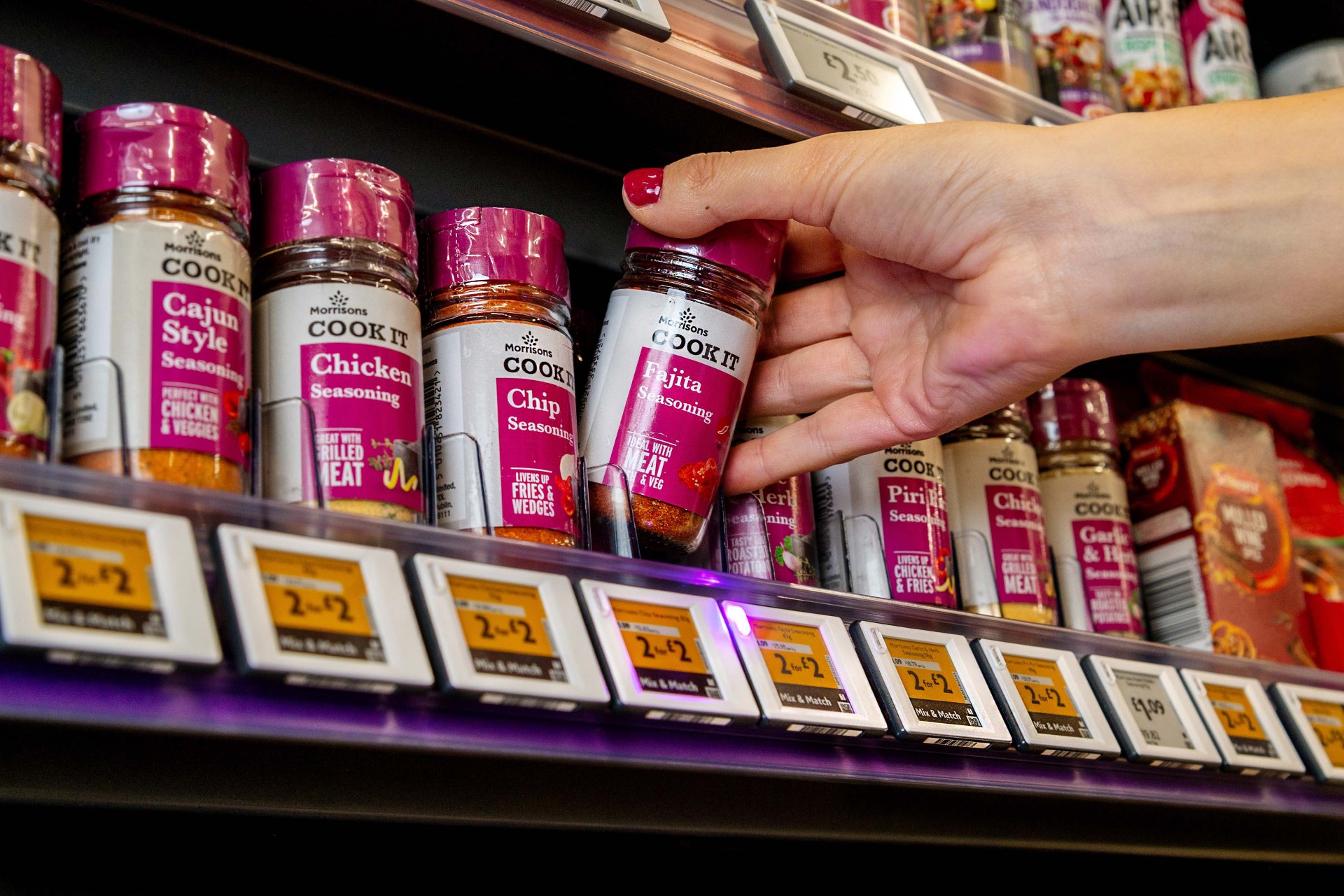
Afterwards, the app will share the in-store location and ask the customer to confirm if they are in the correct aisle, and the digital shelf label will flash magenta for better visibility.

The technology is launching exclusively at 270 Morrisons stores, which have installed digital shelf edge labels.


Subscribe to Grocery Gazette for free

Sign up here to get the latest grocery and food news each morning


This new feature was designed for purchasing across high-density product sections, including herbs and spices as well as finding seasonal items such as cranberry sauce.

Gordon Macpherson, group productivity director at Morrisons said: “We know that Christmas is one of the busiest times of the year for our customers, and we’re always looking for new ways to make their shopping experience as easy and convenient as possible.

“Our new ‘shop to light’ feature is a great example of how we’re using technology to make a real difference in-store, helping our customers find the products they need quickly, whether they’re shopping for their Christmas dinner or just popping in to pick up a few last-minute essentials.”

The move builds on the supermarket retailer’s partnership with Vusion to digitise pricing across its complete supermarket estate using electronic shelf labels to automate price updates and improve accuracy.


InnovationNews

Social

SUBSCRIBE TO OUR DAILY NEWSLETTER

  • This field is for validation purposes and should be left unchanged.

Most Read

Most Read

InnovationNews

Leave a Reply

Your email address will not be published. Required fields are marked *

Fill out this field
Fill out this field
Please enter a valid email address.

RELATED STORIES

Latest Feature

Menu

Please enter the verification code sent to your email: